
Every way a CV reaches CandiLyt.
Forward the emails you already get, share a link, put the widget on your website, or upload. Every CV is read against your requirements as soon as it arrives.
Forward the emails you already get.
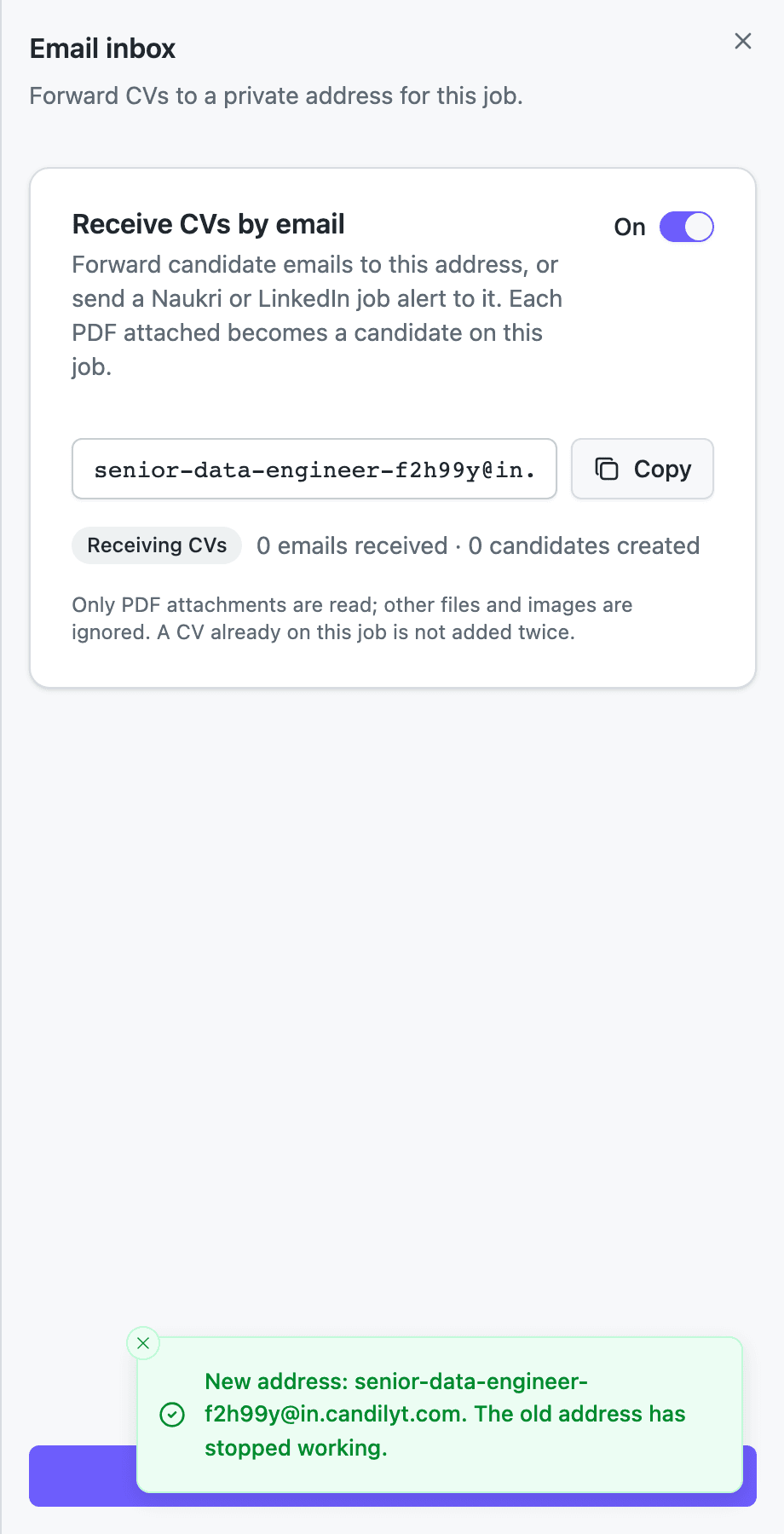
Every job gets its own private address. Forward candidate emails to it, or point a Naukri or LinkedIn job alert at it. Each CV attached becomes a candidate on that job.
- One private address per job. It is an address made from the job title, like
[email protected], and works for that job only. - Forward, or automate it. Forward emails one by one, or send a Naukri or LinkedIn job alert straight to the address.
- Only PDF attachments are read. Each PDF becomes a candidate on the job, up to 10 MB each. Other files and images are ignored.
- Nothing is added twice. A CV already on the job is not added again.
- You switch it on once. You confirm that you have the candidates' permission or a lawful reason to process the CVs. That is the whole setup.
Share a link. See where applicants come from.
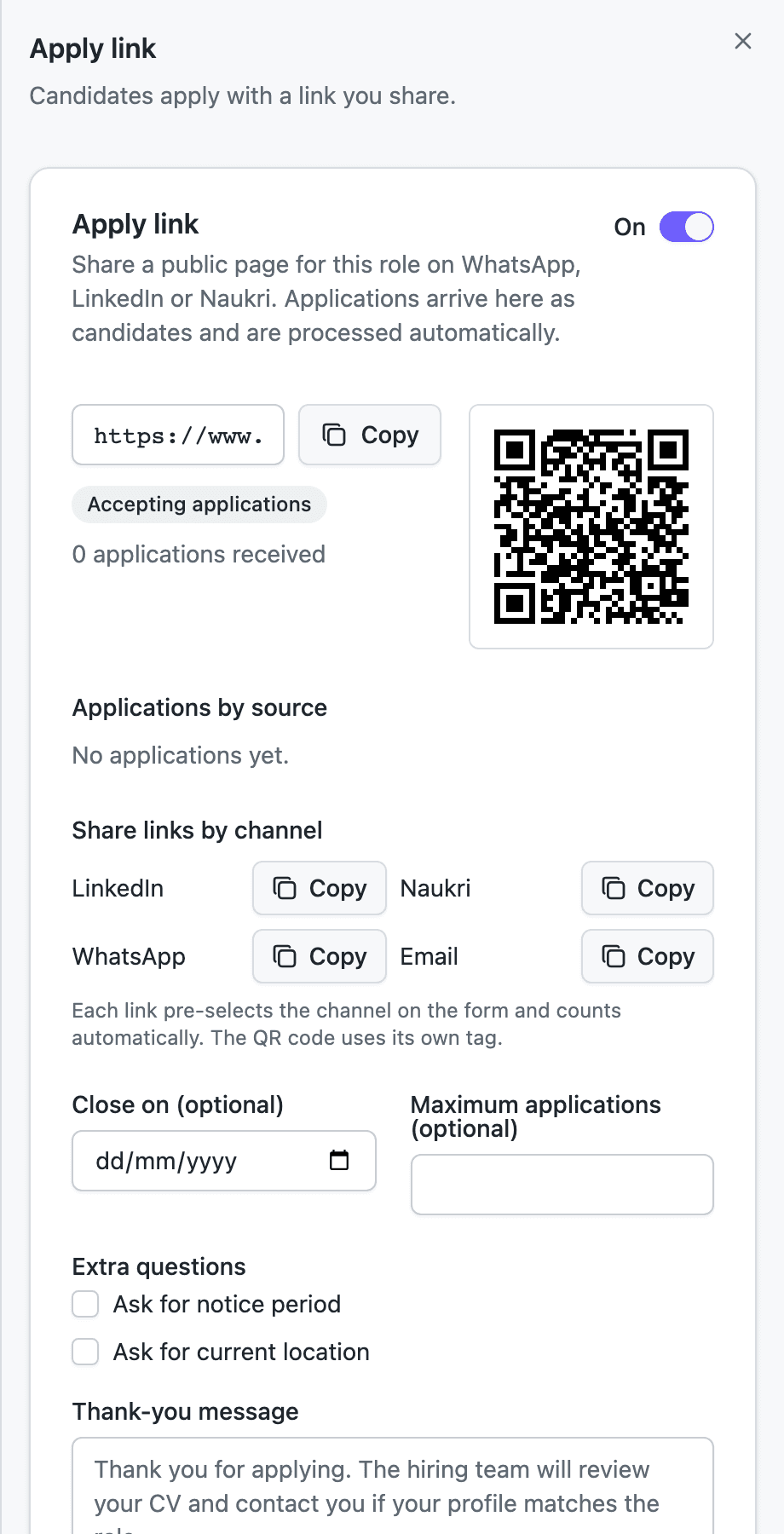
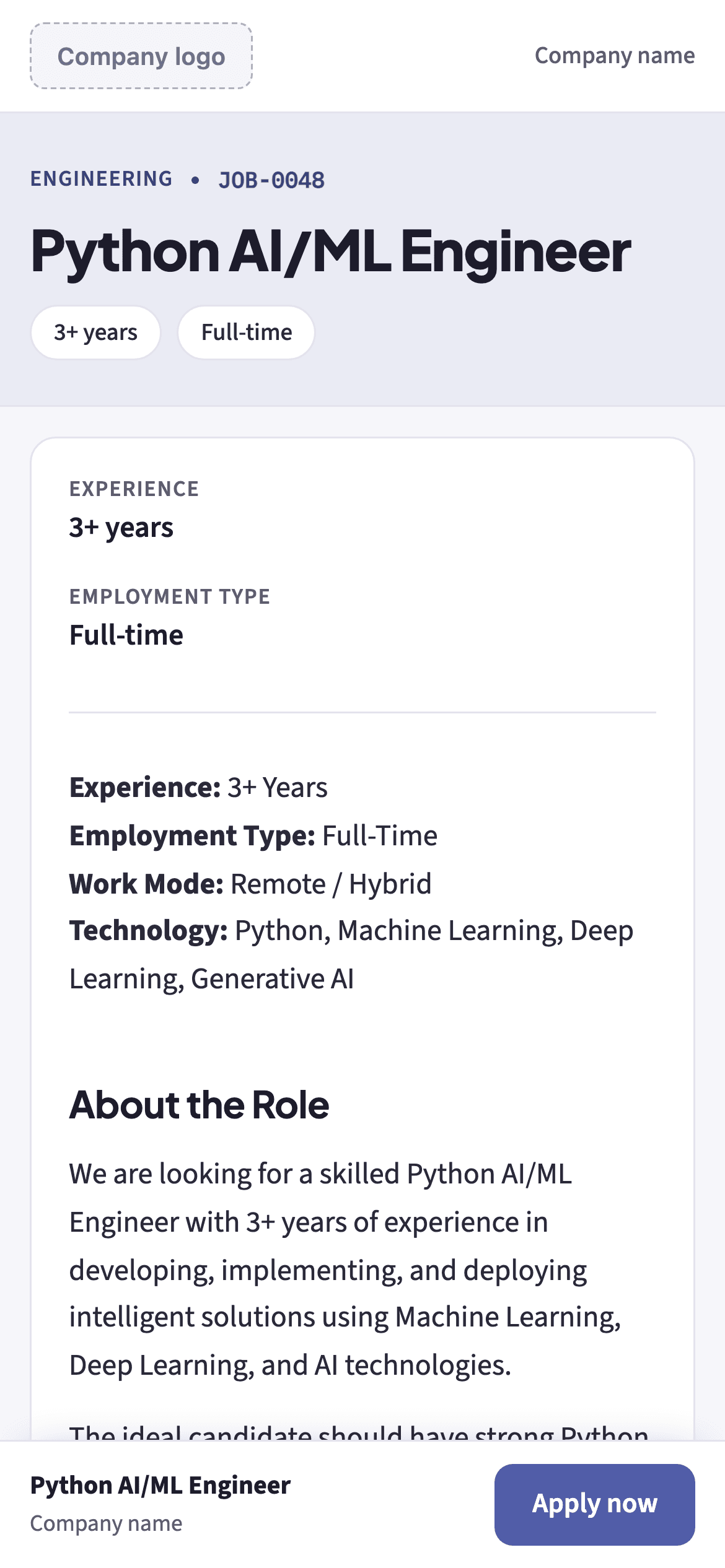
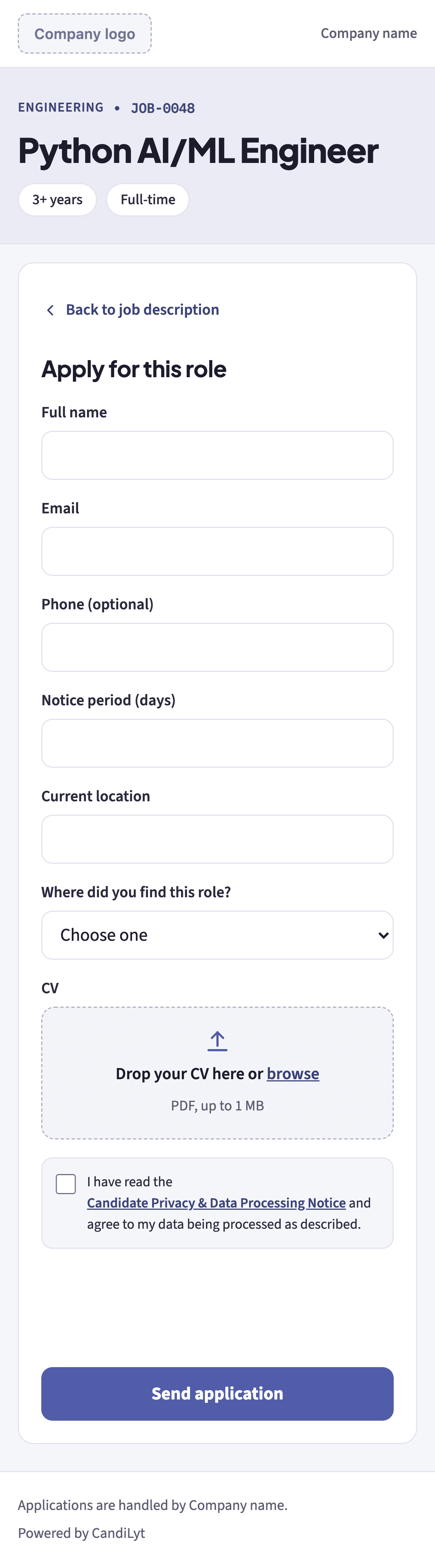
Every role gets a public apply page with your logo and brand colour: the job description first, then the form. Share the link on WhatsApp, LinkedIn or Naukri, or share the QR code.
- A public page for each role. With a QR code that opens the same page.
- A link for every channel. Separate links for LinkedIn, Naukri, WhatsApp and Email, so every application is counted by source.
- Close it when you want. Set an optional close date and a maximum number of applications.
- Ask only what you need. Optionally ask for notice period and current location.
- Your own thank-you message. Candidates see it after they apply.
- PDF CVs up to 1 MB. Candidates attach a PDF of up to 1 MB.
- Consent is part of the form. Candidates tick the Candidate Privacy & Data Processing Notice before they send: AI reading (OpenAI), a person decides, how long data is kept and their rights.
Put your open roles on your website.
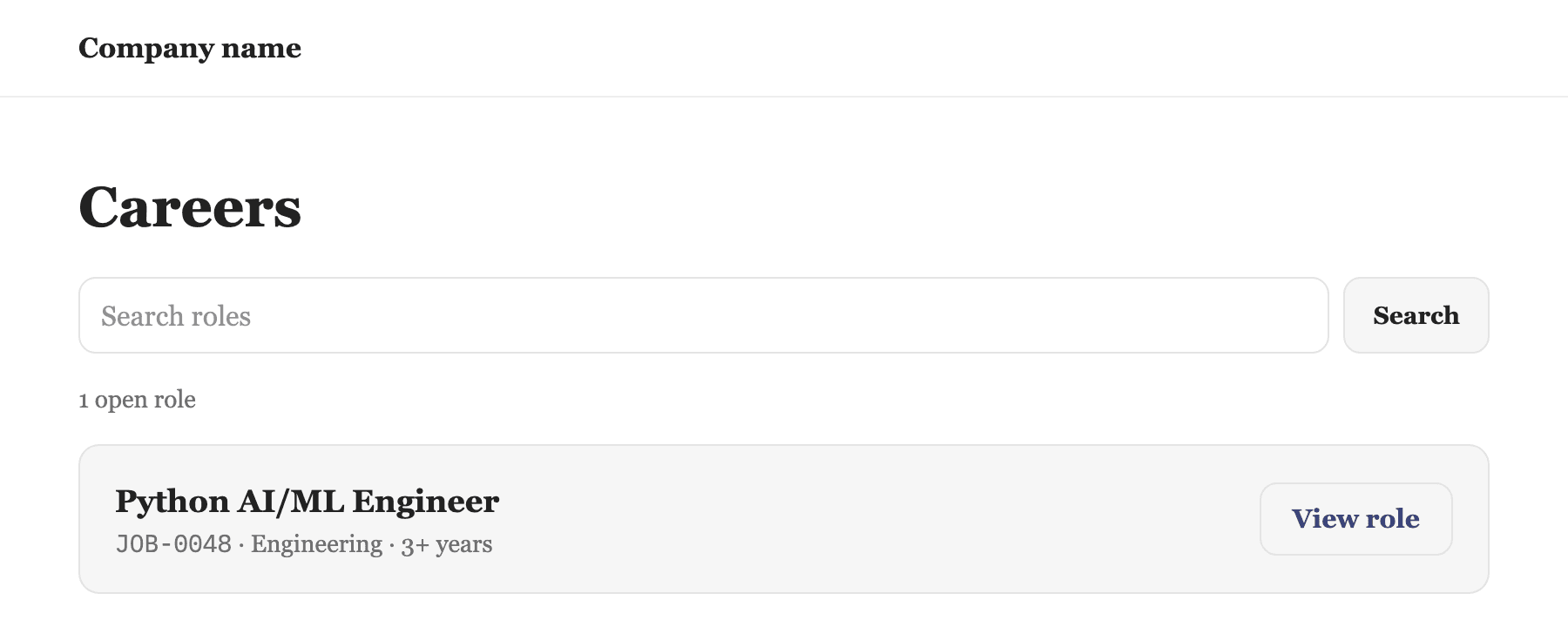
Paste one line of code on your careers page. Candidates see your open roles and apply without leaving your site. Each application arrives on the right job, marked as coming from your website.
- One line of code. Paste it where the widget should appear.
- Open roles, then the job, then the form. Candidates pick a role, read the job, then apply. Or show one role's apply form only. PDF CVs up to 1 MB.
- Link to one job from your own page. Send visitors to a single job or straight to its form. Every job has an ID like JOB-0048.
- Filled jobs disappear. When you close a job, it leaves your website too. You change nothing there.
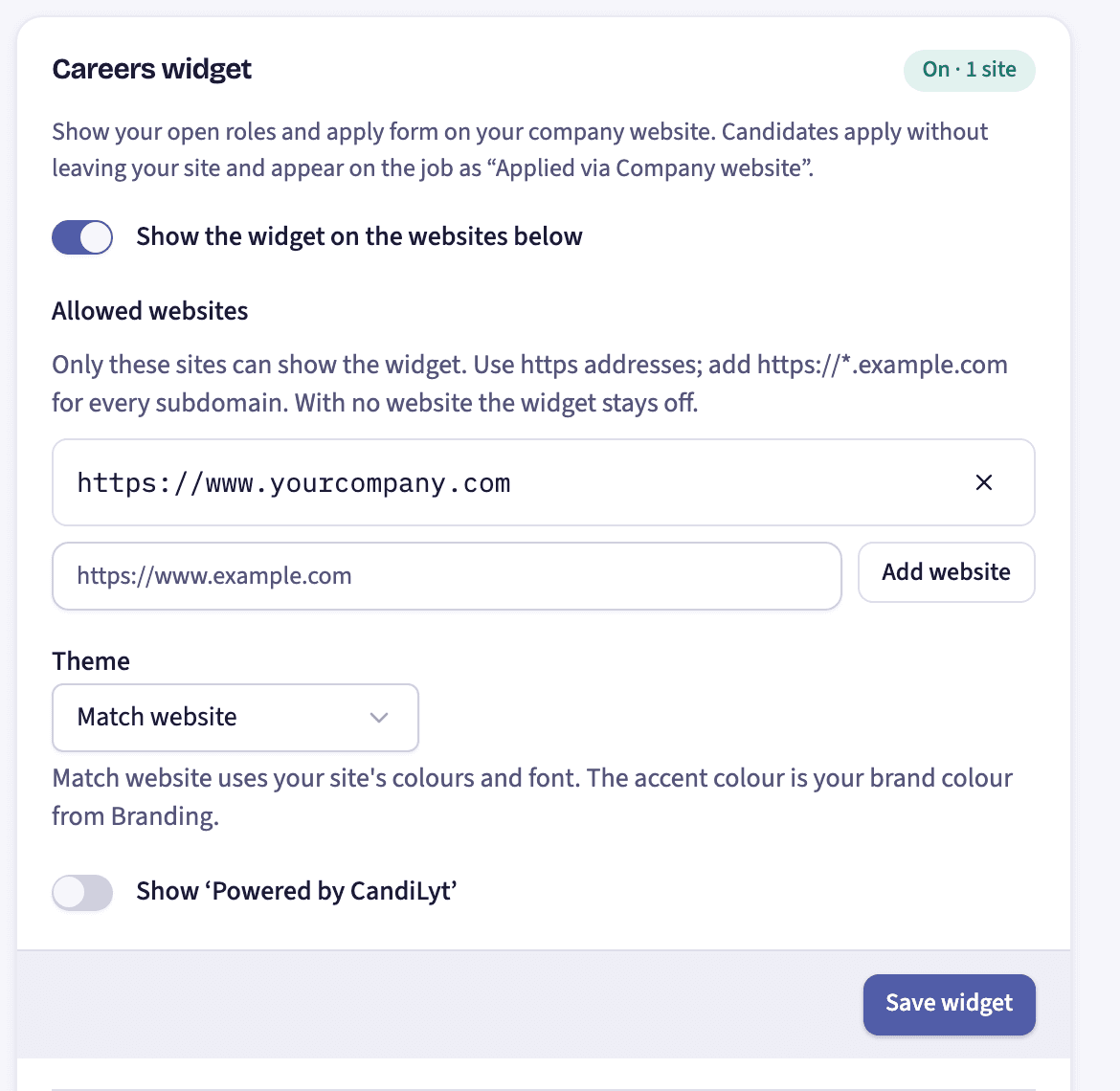
- Only on websites you allow. Add your website's address. Until you do, the widget stays off.
- Matches your website. The widget takes your site's colours and font, or pick light or dark. Show or hide "Powered by CandiLyt".
Or drag in the PDFs you already have.
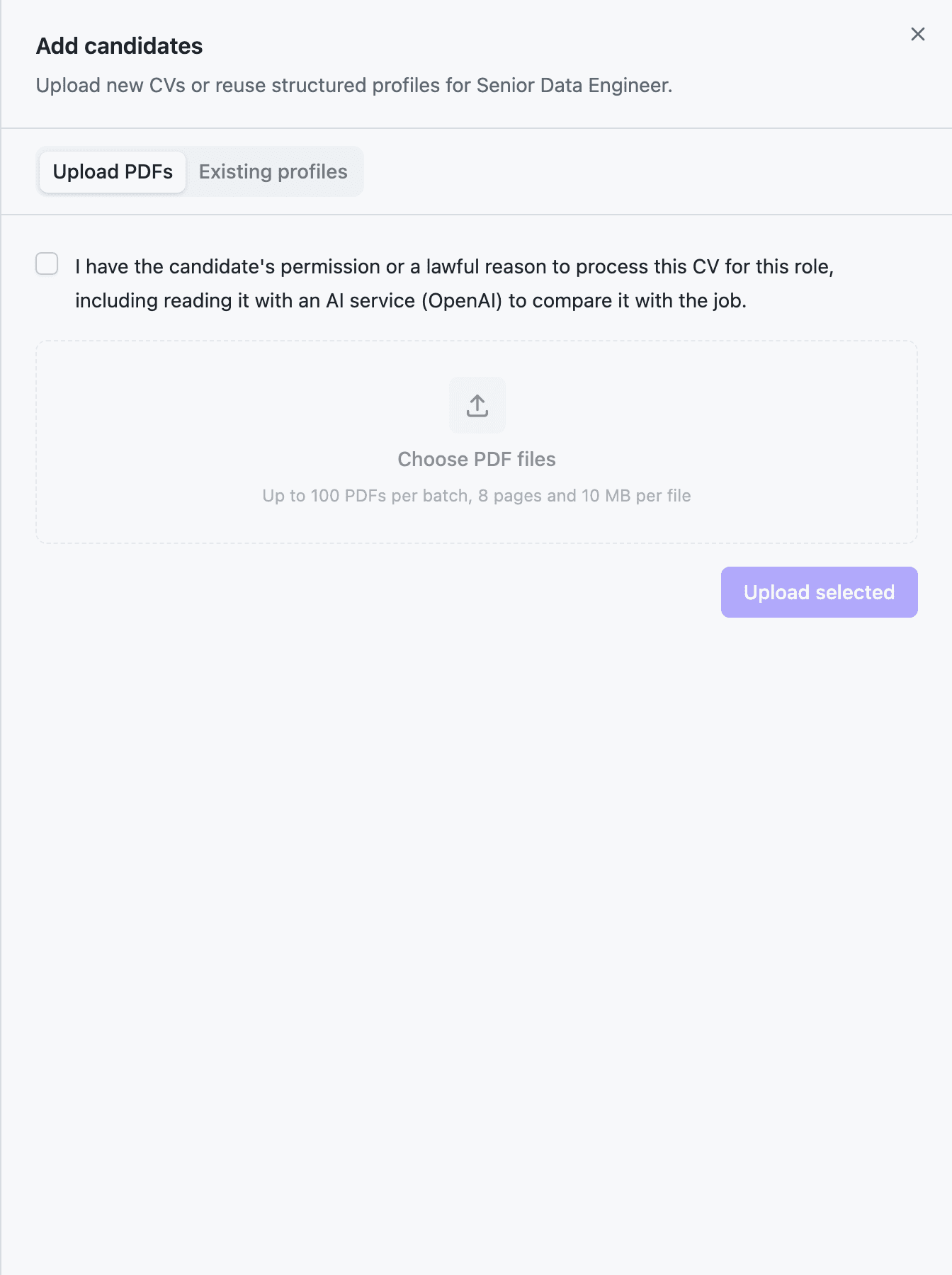
Add CVs straight to a job from the Add candidates dialog.
- Up to 50 PDFs per batch. Each file can be up to 8 pages and 10 MB.
- Duplicates are recognised. A CV you already have is flagged, and you decide whether to reuse it, add it as a newer CV or keep it separate.
- Permission first. You confirm you have the candidate's permission or a lawful reason before the upload starts.
- Starting a new role? Reuse people already in your workspace instead of uploading them again.
Whichever way it arrives, every CV gets the same treatment.
What we don't do yet.
CandiLyt reads PDF CVs. Word files and images are not read yet.
CandiLyt does not send candidates to your ATS or pull them from it.
We never log in to Naukri or LinkedIn or collect profiles from them. CVs arrive only the four ways above.
Pick the easiest way. Start with one role.
The first job is free. During the pilot, access is by request: tell us about your hiring and we'll open your workspace.